Do I Actually Own My Website?
Somebody built your website. Maybe an agency, maybe a freelancer, maybe a friend of a friend. It works, people find you, and you have never thought much about who holds what.
Then one day somebody asks you for a login, or a renewal email lands from a company you have never heard of, and you realize you do not actually know.
Who owns my website?
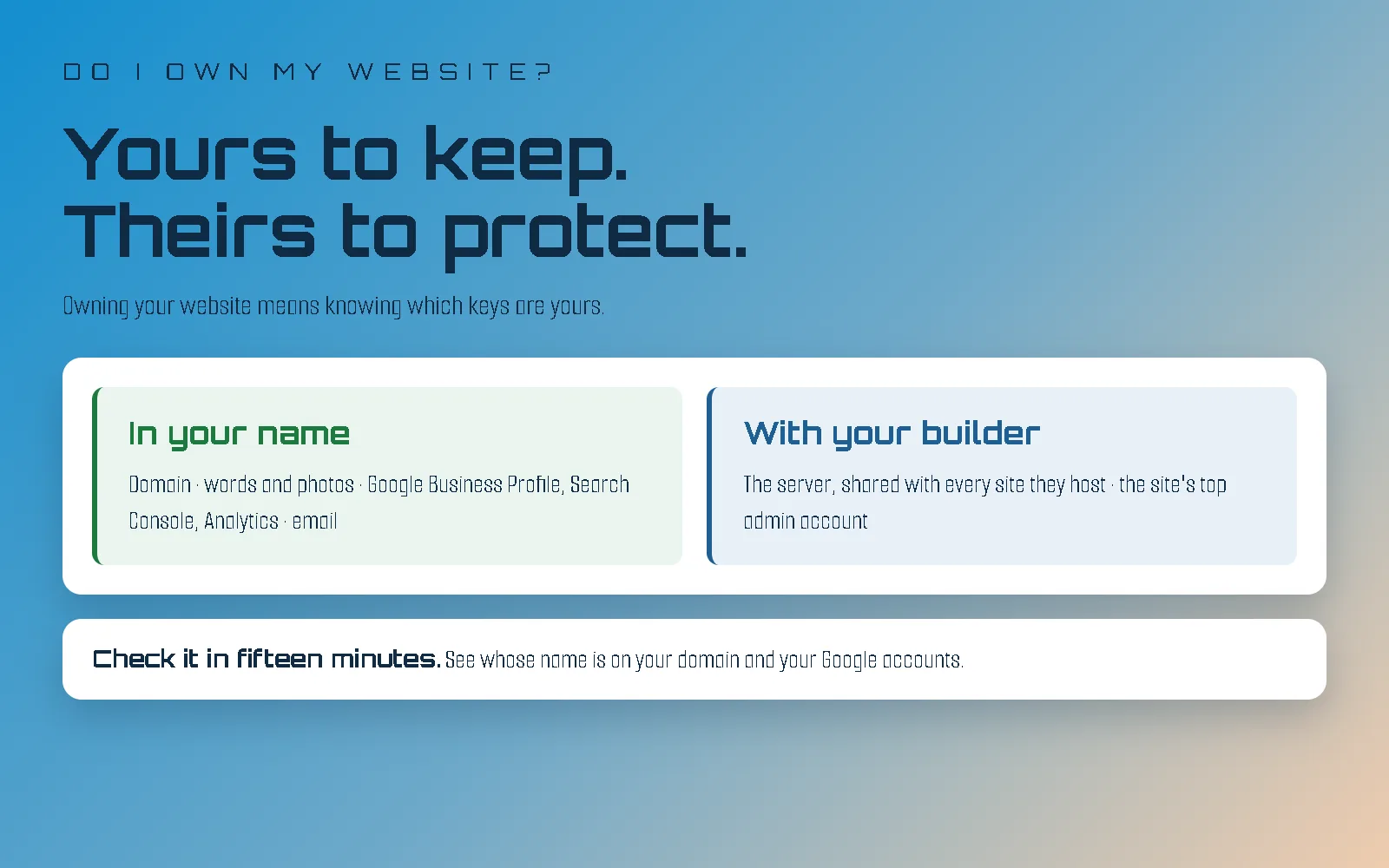
The parts with your business's name on them should be yours: your domain, your content, your Google listings and your email. The parts that make the site work, the server and the top-level administrator accounts, usually belong to whoever hosts and maintains it.
If your site was built and hosted by an agency, the stuff that makes your site work generally belongs to the agency itself. The server (where your website lives) and the top-level administrator accounts generally have heavily guarded access to protect the server and the site. I've seen countless clients take control of their site only to come back a few months later because it's an unmaintained mess. They see a plugin that claims to do something they want. Then another. Then a cheap third party is hired for a small job. Eventually things break, or a poorly made plugin compromises the site, and you're left footing the bill for a cleanup or a rebuild.
Freelancers work one of two ways: build it and move on, or offer hosting and maintenance the way an agency does. If they host and maintain your site, it's no different from an agency. If, however, they built it and you haven't heard from them since, you most likely hold the server and administrator accounts yourself, and their health is your responsibility.
What parts of my website should be in my name?
No matter who built it, here is the split I would expect from any good builder, myself included.
In your name, with a login you can use yourself:
- Your domain. The address, yourbusiness.com. This is the one that matters most, because your email, your links and your search rankings all hang off it.
- Your content. The words and photos on the site, and the right to use them anywhere.
- Your Google accounts. Google Business Profile (your listing on Maps), Search Console (how Google sees your site) and Analytics (who visits). Your builder can, and often should, have access to all three. You should be the owner.
- Your email. Whatever runs you@yourbusiness.com, usually Google Workspace or Microsoft 365.
- A copy of your site if you ever leave. Not access to its insides today, a copy on the way out.
With your builder, and that is fine:
- The server. The computer your site actually runs on, and the login to it.
- The administrator account on the site. You should have a login. It just does not need to be the one that can break the whole site with a couple of clicks.
Why won't my web agency give me access to the server?
Because your site is rarely the only one on it, and there's probably a very good reason you didn't build it yourself. Server access is access to every site the agency hosts, and keeping it limited is how they keep all of them, yours included, safe and running.
On a managed host like WP Engine, one hosting account usually holds every site an agency looks after. Yours, the bakery's down the road, the law firm's across town. Hand out the server login and you have handed out a way to break all of them at once. I've seen it happen.
So when your agency keeps the server login to itself, it is not barring you from your own product. It is protecting your site, and everybody else's, from a mistake that would take them all down together. That includes a mistake made by you, or by someone you trust.
The same goes for the site itself. On WordPress, for example, expect a login that can write posts, change pages and swap photos (WordPress calls it an Editor), rather than the Administrator account that can install software and change how the whole site works. If you have a real reason to need more, ask, and a good builder will talk it through with you. "Just in case" is not usually that reason.
How I learned this the hard way
Early in my career, a client asked for access to their own installation on the server. It was their site, so they got it. They passed that access on to a third party they had hired for something else.
That third party connected the client's WooCommerce store to an outside customer management system. The connection sent the entire store across, every product, every minute. On top of that, an additional job updating the same data ran every time someone loaded a page, instead of only when a product was updated.
The client's site slowed to a crawl and started showing server errors instead of their pages. So did every other site sharing that server, for clients who had never heard of this third party and had done nothing wrong. It took real work to undo, and none of it would have happened if the access had stayed with my team.
Nobody in that story was a villain. The client trusted someone, and that someone did not know what they did not know. That is exactly why the access is limited.
Plugins work the same way. A plugin that describes itself as exactly what you wanted doesn't mention the shortcuts and poor coding behind it. And if a developer could have built the same thing properly, you've added a security hole you never needed.
The test I would actually use
If anything, be a little more wary of a builder who hands everybody the keys to everything without asking who they are. A builder who limits access to the parts that can break a site has thought about what happens when something goes wrong (or learned it the hard way, like me), and that is who you want looking after it.
Why don't I know where my domain is?
Usually because nobody has needed to log in for years. A forgotten password, an ignored "reset by" email, or a registrar that was bought by another company is far more common than anybody holding a domain hostage.
I have had a lot of clients who had no idea where their domain lived, and I will be honest about the usual reason: a domain renews quietly in the background for years, and nobody thinks about it until they need it. In the meantime the login gets forgotten, the "please reset your password by" email goes unread, or the registrar gets bought and sends a "we've moved, set up your new login" message that looks like spam. When Squarespace took over Google Domains, a lot of business owners found out the hard way.
I will not pretend the other case never happens. Now and then a builder holds a client's domain and describes moving it as a long, disruptive process. It is not. Moving a domain is a few clicks and an approval email, and done properly the site and email stay up throughout. If you are hearing reasons instead of a date, that tells you something, but it is the exception, and most of the time the missing login is just a missing login.
How do I check what is in my name?
Fifteen minutes, no code, nothing to install. Each of these is a screen you click.
Your domain. This is the big one, and I walk through it step by step in the "free" websites post. The short version: look up which company your domain is registered with, then try to log in there with your own email. If you can see your domain in your own account, it is yours. If you cannot remember the login, the registrar's password reset is the place to start, not your builder.
Google Business Profile. Open your profile, go to the menu, then Business Profile settings, then Managers. You are looking for your own name or email marked as the Primary owner. Your builder being listed as a manager is normal and useful.
Analytics. In Google Analytics, go to Admin, then Account access management. You want your own email there as an Administrator.
Your email. Whoever can log in to the admin side of your Google Workspace or Microsoft 365 account controls your inbox. One of those logins should be yours.
Paid themes and plugins. If your site uses something paid, like Divi or Elementor Pro, it is very common for it to sit under your builder's license, which often covers many sites. That is fine while you work together, but I've lost track of the number of times a new client moving to my hosting has had to buy a plugin because the site relies on it and the old developer's agency license covered it. A good developer always plans for a smooth exit.
Your hosting. You will almost never have the server login, and that is expected. What you should have is a clear answer, ideally in writing, to one question: if I leave, what do I get?
There are exceptions to all of these. I have clients I've set up with their own server, and they get the access along with a friendly warning about maintenance and an open invitation: "Always feel free to reach out with any questions, any time."
Can I take my website with me if I leave?
It depends on what it is built on. A WordPress or fully hand-coded site can move whole; a Squarespace or Wix site cannot, though your words and photos can.
- WordPress, or a fully hand-coded site: the whole thing. Files, content and design can all move to another host.
- Squarespace: your content comes with you, the site itself does not. I go through exactly what moves and what stays in Should I Move Off Squarespace?
- Wix: there is no way to move a Wix site to another host. Your words and photos can come with you; the site has to be rebuilt.
None of that is a reason to panic about the platform you are on. It is just worth knowing before the day you need it. If you are weighing a move off WordPress, I have a whole post on that.
What if my domain is in someone else's name?
Ask for it to be moved into your name now, while everyone is getting along. It is a routine request, and a good builder does it without a fuss.
Asking now is housekeeping. Asking on the way out feels like a fight, even when it is not one. Most of the time it is in the builder's name for a boring reason: setting it up under their own account was faster on launch day. Agencies handle requests like this all the time, and something like this is plenty:
"Hi, I'm doing a bit of housekeeping on our accounts. Could you make sure our domain is in an account under our name, and that I'm listed as owner on our Google Business Profile? Happy for you to keep your access to all of it. Thanks!"
That last line matters. You are not taking anything away from them; you are adding yourself.
Do I have to manage my website myself if I own it?
Not necessarily. Owning your website and running it are different things, and plenty of owners never log in at all. Asking your builder to make a change is a perfectly normal way to run a website. That is what they are there for.
Owning it just means that if anything ever changes, a builder retiring, a business being sold, a falling out nobody saw coming, your address and your customers' way of finding you do not go with it.
If, however, your site was built and your developer is in the wind, it isn't getting the maintenance it needs, and maintenance is extremely important. A WordPress site depends on plugins that each need updating, and I walk through how to count yours in the WordPress post. The server needs updates too: the language your site runs on gets fixes for security holes, and PHP2Shell is a recent example of how fast attackers go after a site that hasn't installed one. If you want to know why the gap after a fix is the dangerous part, zero-day vs n-day explains it.
How I do it
Your domain, your accounts and your content are in your name from day one, and I keep the access I need to look after them. I usually host and maintain the site, so the server stays with me, for every reason above. Exceptions are made with expectations understood. And if you ever leave my server, you get a copy of your site's files that any developer can put back online.
The honest answer
You probably own more of your website than you think, and the parts you do not have the keys to are probably being kept safe on purpose. Fifteen minutes with the checks above will tell you for sure.
If one of them turns up something odd and you would like a second opinion, send me a message. I am happy to look, even when the answer is that everything is exactly as it should be.