What makes a hand-coded site faster?
It ships only what it uses: no theme engine, no plugin queue, no framework a visitor has to download before the page works. The scores above are this page's own. Hand-coded versus WordPress covers the rest.
What I do
Custom websites built by hand, from a blank file. Nothing ships that isn't doing a job: no theme engine, no plugin stack, no software running on the server waiting to be attacked. The result is a site that loads in a blink, can't be hacked through its own tooling, and belongs to you. The site you're on right now is the pitch, and this page is how it works.
The approach
Built by hand.
Built for you.
The system
Every site here is built with a system that lives entirely off the web. The build tools, the dev server, the editor: all of it runs on a machine, not on your domain. What reaches the server is the finished page and nothing else, plain HTML, CSS and JavaScript.
If a project needs an editor or a CMS, that lives offline too: one part added because the job calls for it, never the platform the site stands on. The consequence is the rest of this page. There is no software running on the public internet to attack, and nothing between your visitor and the page they came for. Where a build starts, and what each layer adds, is on the hand-coded website development page.
The motion
The motion you're riding is scroll-driven animation, one tool in the kit, and the one with the worst reputation: most sites that use it take controls you've trusted for twenty years and give nothing back. The full guide to scrolljacking lays out those risks and the rules that avoid them.
Here the controls stay yours. Wheel, trackpad, touch and arrow keys all do scroll the same way, and almost always in an expected way. The exception to this is "flow", which is for those who appreciate a bit of theater. Every screen is a real page with a real URL: the back button works, any view can be shared or bookmarked, and search engines index all of it. If your system asks for reduced motion, the site quietly stands down to a normal, scrolling website, and the selector in the corner offers you that same choice outright, no settings dig required. Accessibility isn't the fallback here. It's the design, and whether scrolljacking is bad for accessibility is the long answer, ADA criteria included.
How I do it
Every action has the expected outcome, or a surprisingly better one.
The Engine
The seamless part is the browser's own View Transitions API. Swapping sections runs a same-document transition; moving between pages runs a cross-document one with the exact same animation, so a page change is visually indistinguishable from a scroll, and the one continuous site you're riding is really seven separate URLs.
No SPA framework, no client-side router, no hydration. Separate, honest HTML pages that happen to feel like one continuous experience, and a browser without the API just loads pages instantly. Nothing breaks.
How view transitions work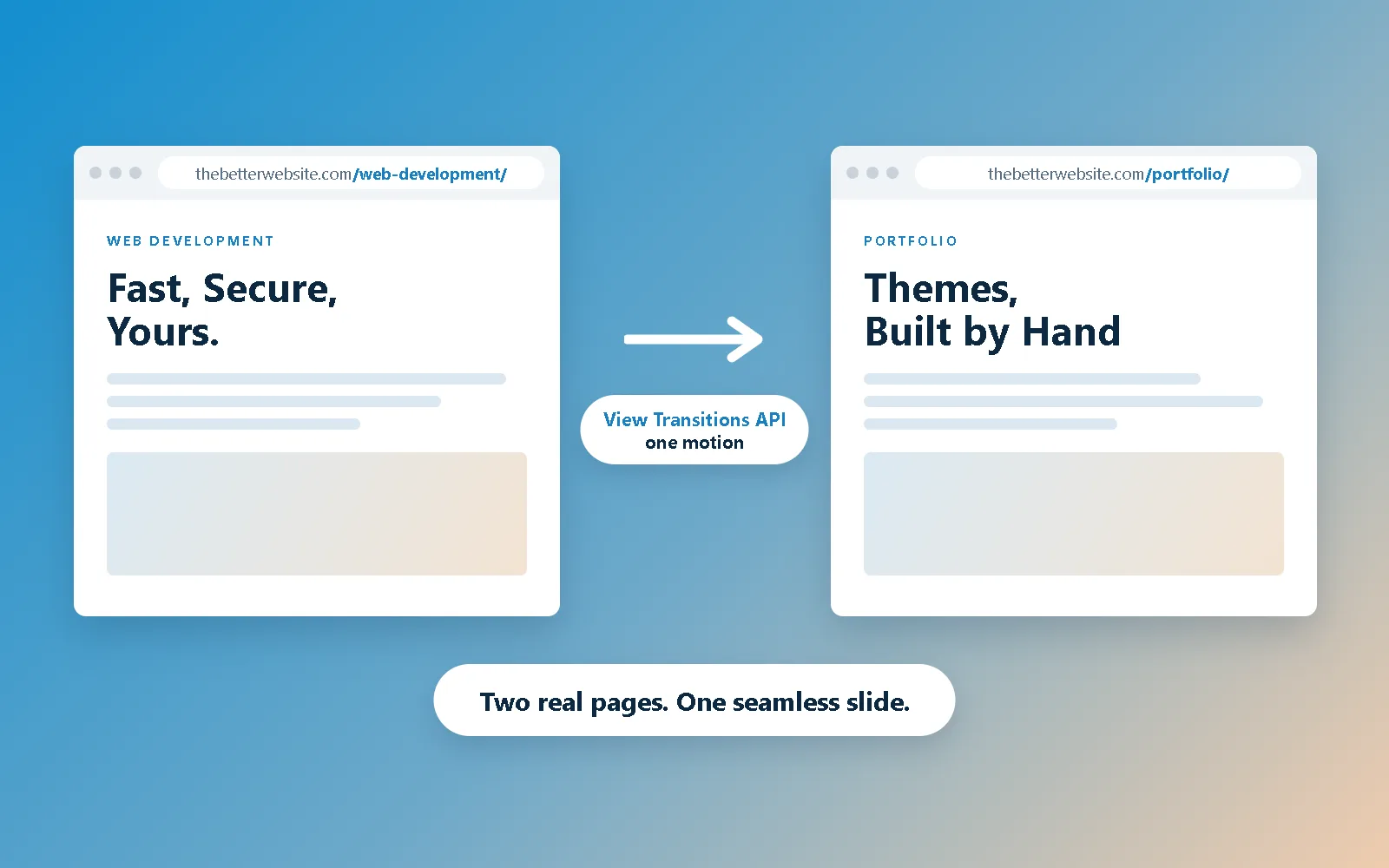
Speed
A hand-coded page ships only what it uses. No theme engine, no plugin queue, no render-blocking third parties: the fonts live on this domain, the animation runs in your browser's compositor, and the JavaScript fits in a few kilobytes.
Google measures how fast a page paints and how quickly it responds, and ranks accordingly. This is where the system quietly wins: nothing loads that isn't doing a job, so there's nothing to wait for. The scores are just below, measured on this very page with every animation running. That is what hand-coded website development buys you, and it is why minimalist website design and speed keep turning out to be the same decision.
Hand-coded vs WordPress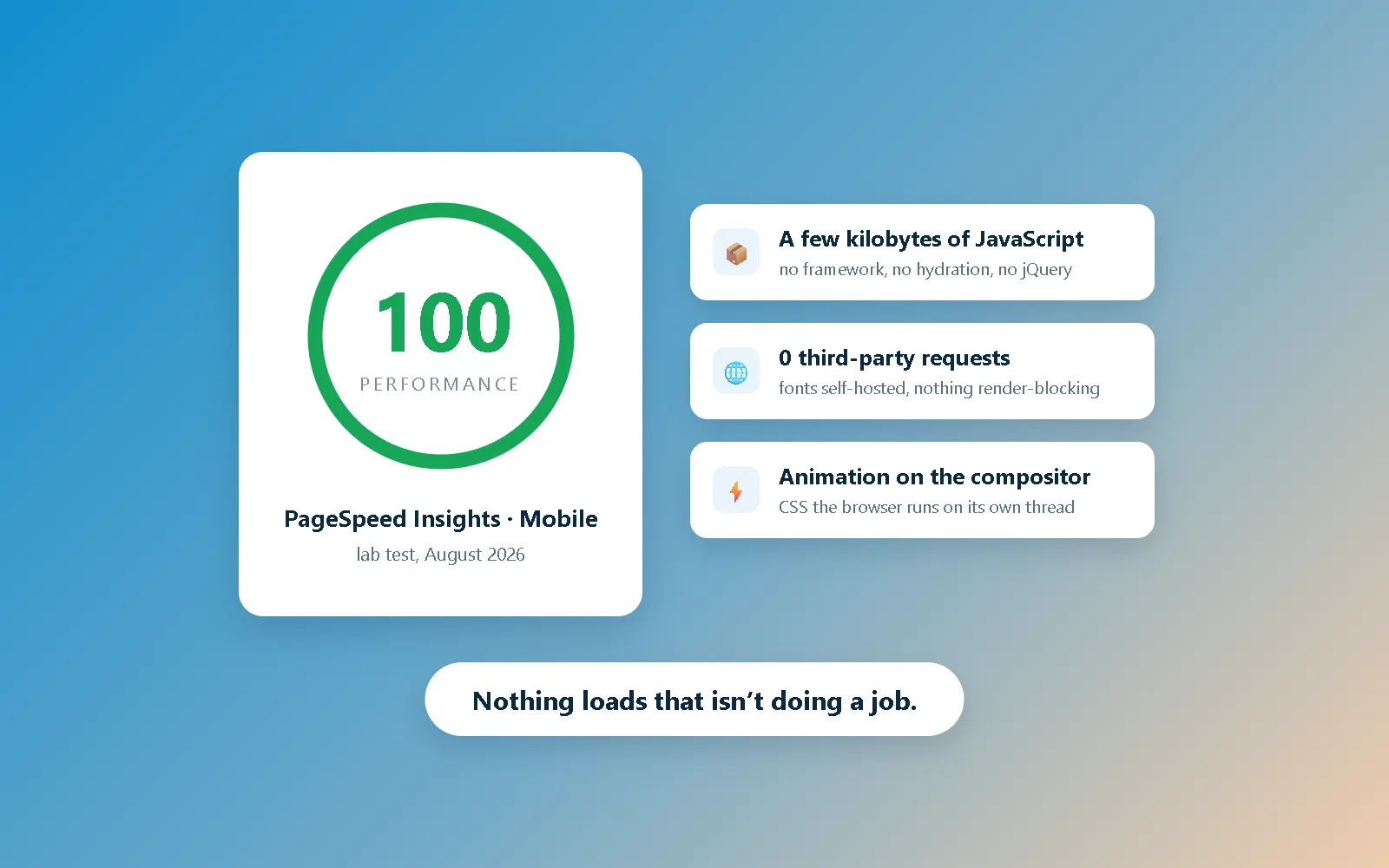
The proof
Every claim on this page is measurable, so measure it. Run this page through Google's PageSpeed Insights and it scores 100 for accessibility, best practices and SEO, and 97 to 100 for mobile performance depending on the run; on desktop it is 100 across the board. Those numbers are with every animation you've just scrolled through still running.
The same build is why machines can read it as easily as people: the site passes all three of the agentic browsing checks, because every screen is plain HTML on a real URL with nothing hidden behind a script. Fast for your visitors, legible to search engines, to answer engines and to the generative models that cite them, and no trick behind either.
Security
Most hacked websites are hacked through the software around them: a stale plugin, a CMS core that missed an update, a database login. Lately it's worse than neglect, with attackers buying up legitimate plugins and shipping the break-in as an update. A site built this way isn't sitting on any of that. There is no admin panel to brute-force, no plugin stack to keep patched, no database between a visitor and the page, and nothing installed that answers to someone else's update server.
We host the site and look after it, and if you ever leave you take a copy of your files with you. That's not a ceiling: start from nothing, add only what a project actually needs, and it grows into a CMS, a database, whatever the job calls for. Most sites never need them, and every part you don't ship is a part that can't break.
Start a build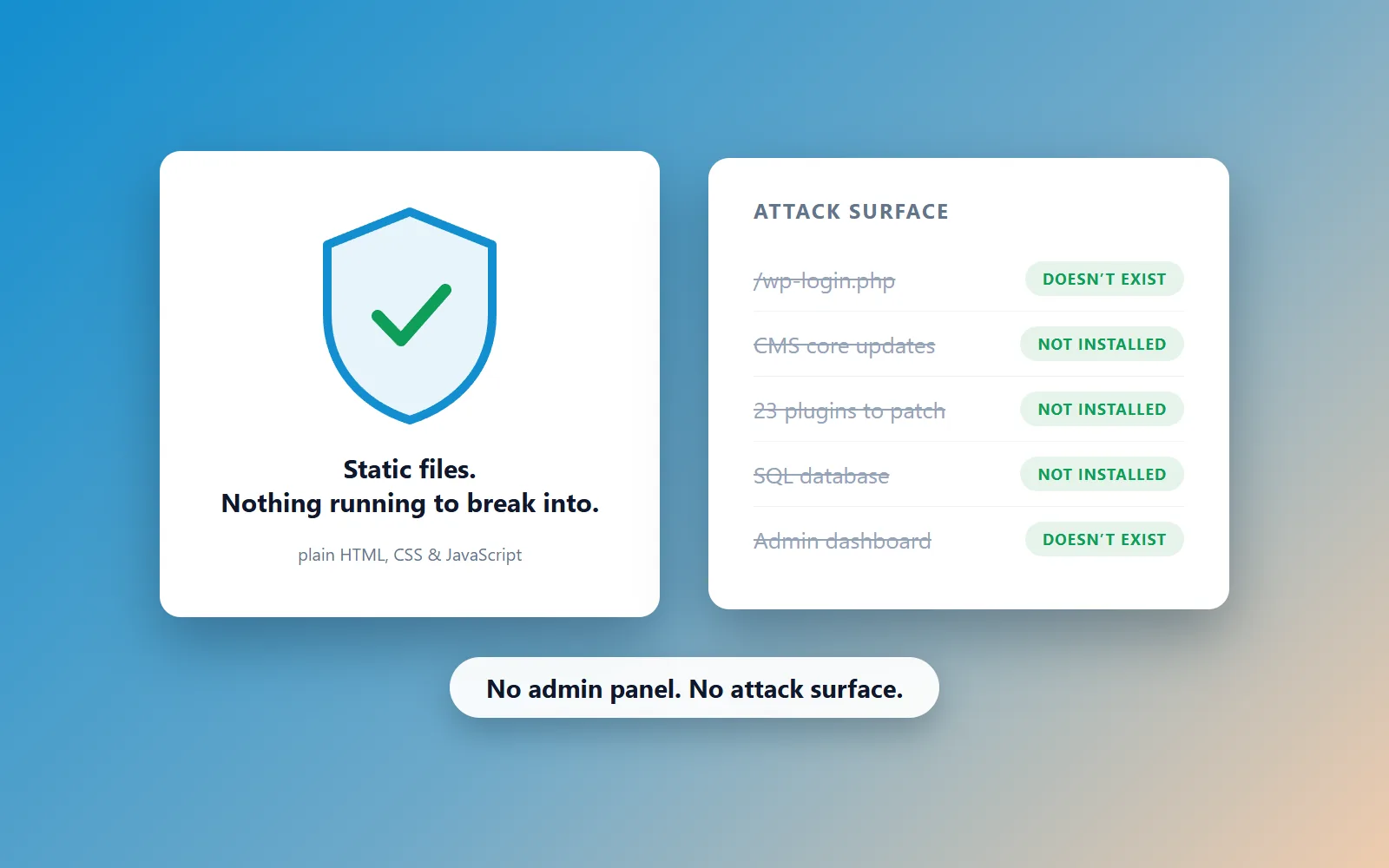
It ships only what it uses: no theme engine, no plugin queue, no framework a visitor has to download before the page works. The scores above are this page's own. Hand-coded versus WordPress covers the rest.
Mostly by what isn't there. The build tools live offline, so the server holds finished pages and nothing else: no admin panel to brute-force, no plugin stack to patch, no database exposed to the internet. We host it and look after it.
Yes. The domain is registered in your name and the content is yours. If you ever leave, you take a copy of your site files with you, and any developer can host them. No lock-in, by design.
However suits you. Some clients want to post their own updates; others would rather send changes over and have them handled. If a build needs an editor or a mini-CMS, it's added for that job, and like the rest of the tooling it lives offline. We settle it together, early.
No. It's one motion option, not a house style. Whether I reommend scrolljacking depends heavily on your brand and target market. what is scrolljacking explains it.
Not if it's built right. This site keeps real, crawlable URLs for every page, so the motion only changes the transition, not what search engines index. See the scrolljacking & SEO post.
That's the System
Up Next:
The Skill
That's the whole method, and there isn't a secret second half: every site I ship is hand-written HTML, CSS and JavaScript, the same stack this page is built from. If you'd rather see it than read about it, here's what I've built and who builds it. The blog is where I show my work, the FAQ answers the five questions I always get, and the front door is still open. Run an architecture practice? That one is written for you, and so is luxury website design. Want to talk about your site instead? Say hello. Or just keep scrolling; the work is next.
The Better Website
The Better Website is a one-person web design studio in Raleigh, NC, serving the Triangle and clients nationwide. Every site is hand-coded in plain HTML, CSS and JavaScript — not built on WordPress, a page builder or a CMS.
© 2026 The Better Website · Privacy