How Do I Keep My Website From Getting Hacked?
Lately it feels like something big breaks every other day. A platform goes down, a flaw gets announced, and a few days later somebody you know is asking whether their own website is safe. It is a fair question, and the answer has changed in the last year.
I build websites for a living, and many times the job and budget dictate that these sites are built on WordPress. So dealing with vulnerability patching is part of the gig, and I take it seriously. But I want to be straight with you about something patching can't do: it can't remove the parts of a website that keep needing patches. Only the way the site is built can do that.
How do I keep my website from getting hacked?
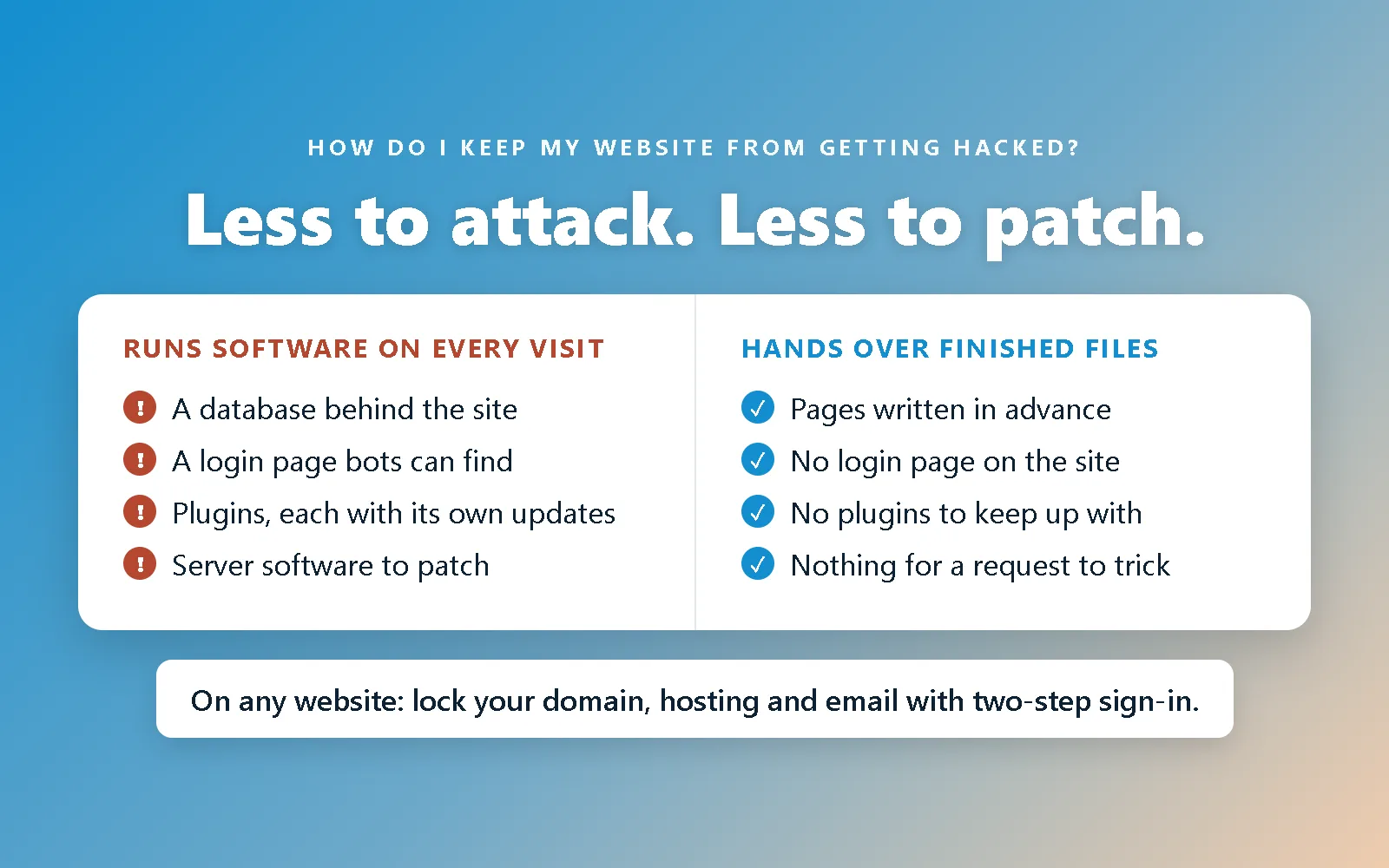
Give attackers less to attack. The strongest protection a website can have is a fully hand-coded site that hands visitors finished files, with no database, no plugins and no login page for anyone to break into. Then lock down the accounts around it (your domain, your hosting and your email) with two-step sign-in.
If your site runs on WordPress or another platform that runs software for every visitor, the answer is updates, applied within hours rather than weeks, by someone whose job it is. That works, and plenty of good sites run that way. It is just a different kind of protection, and it is worth understanding why.
Why does it feel like everything is getting hacked right now?
Because a lot broke at once, and whatever the cause of each one, they all point at the same thing: software is being broken faster than people can fix it, and AI is speeding up both sides.
Look at one week in November 2026, as Yahoo Finance tallied it:
- November 12. Microsoft's Outlook and Teams went down for about a day and a half, in more than 70 countries.
- November 13. The FAA stopped flights nationwide for more than four hours.
- November 16. Chase's online banking failed, and United Airlines had problems with its systems the same day.
- November 17. An NSA communications network, Apple's iCloud and Charles Schwab's website all had trouble.
Officially, almost none of those were attacks. Microsoft said a network change caused its outage and that it was "not related to cyber." Chase blamed a software bug and said there was "no evidence this is cyber-related." The NSA called its outage routine maintenance. The FAA's was put down to old equipment.
I'll be honest: that many in one week makes me suspicious, and I'm not the only one. But I can't tell you what happened inside those companies, and neither can anyone guessing from outside. Here is the thing, though. Whether they were connected or a coincidence, the lesson is the same. The systems everything runs on are more fragile than they look, and one bad change can stop work email in more than 70 countries.
And in the same week, there was one confirmed attack, and it is the kind that reaches ordinary websites. Optimizely, a company whose tools run on other companies' websites, said "an unauthorized party exploited a vulnerability" in one of its products and injected code into the sites using it. Nearly 200 organizations were affected, reportedly including Zoom, HSBC and Equifax. None of them were hacked directly. Someone else's code on their pages was.
Two examples from earlier this year show how fast it moves now. In July, a pair of flaws in WordPress itself, nicknamed wp2shell, was patched on July 17 and was being used against real sites by early the next morning. In October, two flaws in PHP, the language behind most websites, were found with the help of AI. Within 45 minutes of the news breaking, Cloudflare was seeing tens of thousands of attempts to use them. I wrote up the whole story, including the part AI played, in the PHP2Shell post.
The part that matters for a small business is this: nobody chooses your website. Automated tools sweep the whole internet for anything still running the old version. A bakery, a law firm and a bank all end up on the same list.
That is also why my WordPress sites are hosted on a dedicated WordPress host, and why you absolutely should too. I won't list out my hosting provider, so you can't claim I'm selling for them. What I can tell you is that these teams have availability that no agency does. 24/7. When wp2shell came out, my host patched and released a temporary fix until the real patch could roll out while I was asleep. That's why it's worth the extra cost over a host who simply provides you server space.
Why can't security keep up?
Because flaws are being found faster than anyone can fix them, and the people and systems that do the fixing haven't grown to match.
- The number of known flaws has more than doubled. Over 100,000 security flaws were publicly logged in 2026 by mid-November, more than double all of 2025, according to The Register. Asked why, the person who counts them for VulnCheck said: "It's AI."
- Attacks start almost immediately. CrowdStrike found that 88 percent of the attacks it saw using publicly shared attack code in the first half of 2026 happened within 48 hours of that code coming out.
- The people fixing things are swamped. Much of the internet runs on free software kept up by small teams, and they are "drowning in vulnerability reports." The team behind curl, a tool built into billions of devices, shut down its bug reward program this year because AI-generated reports were burying its security team.
- The public safety net is behind. The US government's database of known flaws, which security teams use to decide what to fix first, had a backlog of more than 27,000 entries at the end of 2025, according to the Commerce Department's inspector general. CISA, the agency that warns everyone about attacks in progress, went from about 3,400 staff to about 2,400 during 2025.
There is a quieter problem too: AI is being used carelessly. Code written by AI and put live with nobody checking it is new code that has never run anywhere else, and it is going into real products every day. I wrote about what that means for a business website in should I build my website with AI?
Put those together and the honest forecast is that it gets worse before it gets better. The attackers got faster tools first, and the response hasn't caught up.
Isn't keeping my website updated enough?
Updates matter more now than they ever have, and they are still not enough on their own. They are a race, and the gap between a fix and an attack is now measured in hours. A site that gets updated once a month is spending most of that month open to whatever was fixed at the start of it.
When a fix is published, it also shows attackers exactly what was broken. Anyone who hasn't installed the fix yet is now a known target. I explain how that works, step by step, in zero-day vs n-day, and it is the reason "we update regularly" doesn't mean what it used to.
There is a second problem that no update schedule fixes. Even a perfectly patched site still runs the same software tomorrow, and that software will have another flaw found in it. Patching fixes the last problem. It doesn't change how many more are coming.
Why is a fully hand-coded website harder to hack?
Because there is almost nothing running for an attacker to talk to.
On a platform like WordPress, every page is put together fresh for each visitor by software on the server: it reads the database, runs the plugins and builds the page you see. That is what makes it flexible, and it is also what an attacker goes after. Most website attacks work by sending a request that tricks that software into doing something it shouldn't.
A fully hand-coded site works more like a printed brochure. Every page is a finished file, written in advance, and the server simply hands it over. There is nothing to trick. This site is built that way, and here is what that leaves out:
- No database. There is no store of content, users or customer details behind the site to steal or tamper with.
- No login page. Bots spend all day guessing passwords on login pages. A site without one gives them nothing to guess at.
- No plugins. Every plugin is somebody else's code on your site, on their update schedule. Each one is another door, and some are no longer looked after by anyone.
- No server software running on each visit. When a flaw like PHP2Shell is found in the language a site runs on, a site that doesn't run that language has nothing to patch.
That is why I call it the best approach rather than one approach among many. A careful owner can make WordPress safe. A fully hand-coded site starts out without most of what needs making safe. I go into the wider differences in what a hand-coded website is.
Is a hand-coded website hack-proof?
No, and you should be wary of anybody who says theirs is. The site itself is hard to break into. The accounts around it are not, and they are where a hand-coded site is actually at risk.
A contact form, for example, needs a small piece of code that runs on a server, and I keep it to exactly that: one small function that sends me an email. But the bigger risk on a site like this is a person getting into an account they shouldn't. Which brings us to the part of this post that applies to every website, however it's built.
What should I protect on any website?
Four accounts: your domain, your hosting, the email that can reset both, and anything else that loads on your pages.
- Your domain. This is the most important one. Whoever controls your domain controls where your website points and where your email goes. If it isn't in an account you can log in to yourself, do I actually own my website? walks through fixing that.
- Your hosting. The account where the site lives. Getting into it means being able to replace the site.
- The email behind them. Every one of those accounts can be reset from an email inbox. If that inbox falls, the others follow.
- Anything else on your pages. Chat widgets, booking tools and tracking tags are each another company's code running on your site, and the Optimizely attack shows what happens when one of them is broken into. Keep the ones you use and remove the rest.
For each account, three things, none of which take a developer:
- Turn on two-step sign-in, ideally with an authenticator app rather than text messages. It is usually in the account's security settings and takes just a minute or two.
- Use a different password for each, kept in a password manager. One leaked password shouldn't open four doors. And please, make your password safe. It's not supposed to be easy to remember!
- Check the recovery details. Make sure the backup email and phone number are current, and that they are yours rather than a former employee's or an old developer's.
Do that and you have covered the weak point that every site has, including mine.
So should nobody use WordPress?
No. There are plenty of projects where I'd recommend WordPress, and I build custom WordPress themes for them. An online shop that needs payments, stock and shipping, a site that several people edit every day, or a feature that already exists as a well-maintained plugin are all good reasons. Building those from an empty file can simply cost more than a lot of businesses have budgeted.
When WordPress is the right fit, keeping it safe comes down to a few habits:
- Automatic updates on for WordPress itself and anything that allows it.
- As few plugins as the site needs, and deleting the ones that are switched off rather than leaving them installed.
- A host that patches the server for you, so a flaw like PHP2Shell is fixed overnight without anyone having to remember.
- Somebody whose job it is to apply a security fix within hours, not at the next monthly check.
If you are weighing whether your current WordPress site still fits, I go through that in should I move off WordPress?, and this is how I build on WordPress when it is the right tool.
The takeaway
The best way not to get hacked is to have less that can be hacked. A fully hand-coded site removes most of it before you start, and two-step sign-in on four accounts covers most of what is left. Wherever software does run, updates matter more than ever, because flaws are being found faster than they are being fixed, and that gap is still growing.
Which approach is right depends on the project, and I'll tell you honestly which one I'd recommend for yours. With all that's going on, that recommendation may change. But I'll always give you my honest answer. Send me a message with your domain and what you're worried about, and I'll tell you what I see.